1. Limon™ BMS Software Introduction
Limon™ is the desktop application for all LiBat™ battery management systems. It covers monitoring, configuration and diagnostics in one tool, so no other application is needed on the computer. Limon™ is portable: it is a single executable file that runs without installation and without a separate .NET runtime. Copy it to any folder, for example your desktop, and start it. Please see the minimum requirements below.
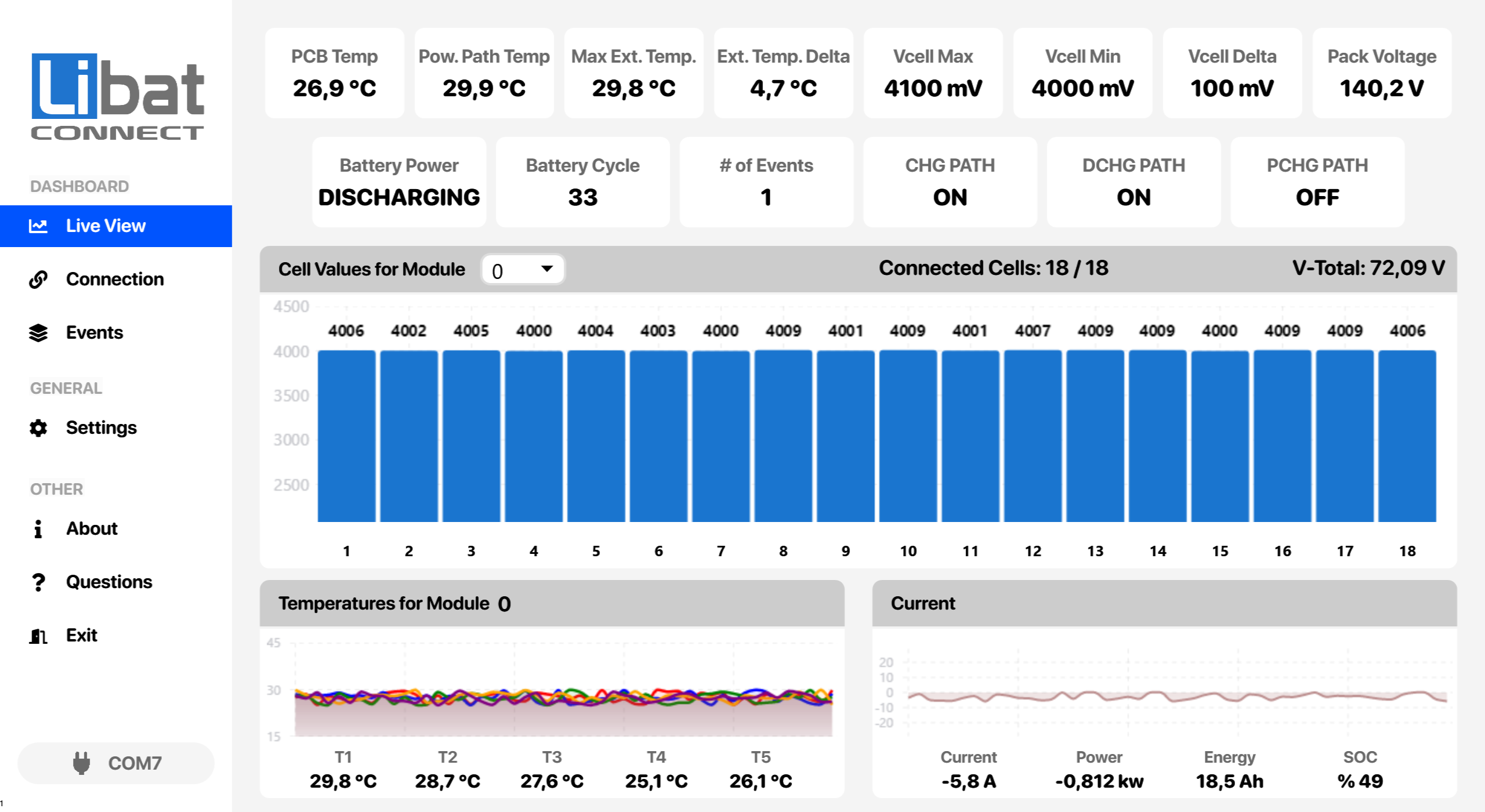
Fig.1.1: Limon Desktop Application, Quick Look
What Limon™ does
- Live View: real-time cell voltages, temperatures, current, power, energy and state of charge.
- Connection: connects to the BMS, shows its device information, logs data and updates its firmware.
- Events: pack status and event status of the BMS.
- Settings: reads, changes, saves, imports and exports all BMS settings.
- Updates: checks online for new Limon™ versions and for new BMS firmware.
- Demo mode: select the
Demoport on the Connection screen to explore Limon™ without a BMS.
Table.1.1: Minimum Requirements
| Requirements | Description |
|---|---|
| Operating System | Windows 10 (version 1809 or later), Windows 11, Windows Server 2019 or later |
| System Type | 64-bit (x64) only |
| Display | Resolution 1280 x 700 or better |
| Disk Space | About 500 MB free on the system drive |
| Internet Connection | Needed for licence activation, firmware updates and software updates |
| COM Port Connection | 1 x serial port for the BMS connection, usually a USB-RS232 adapter such as the INT201 |
Info
The INT201 USB driver is available on the Download page.