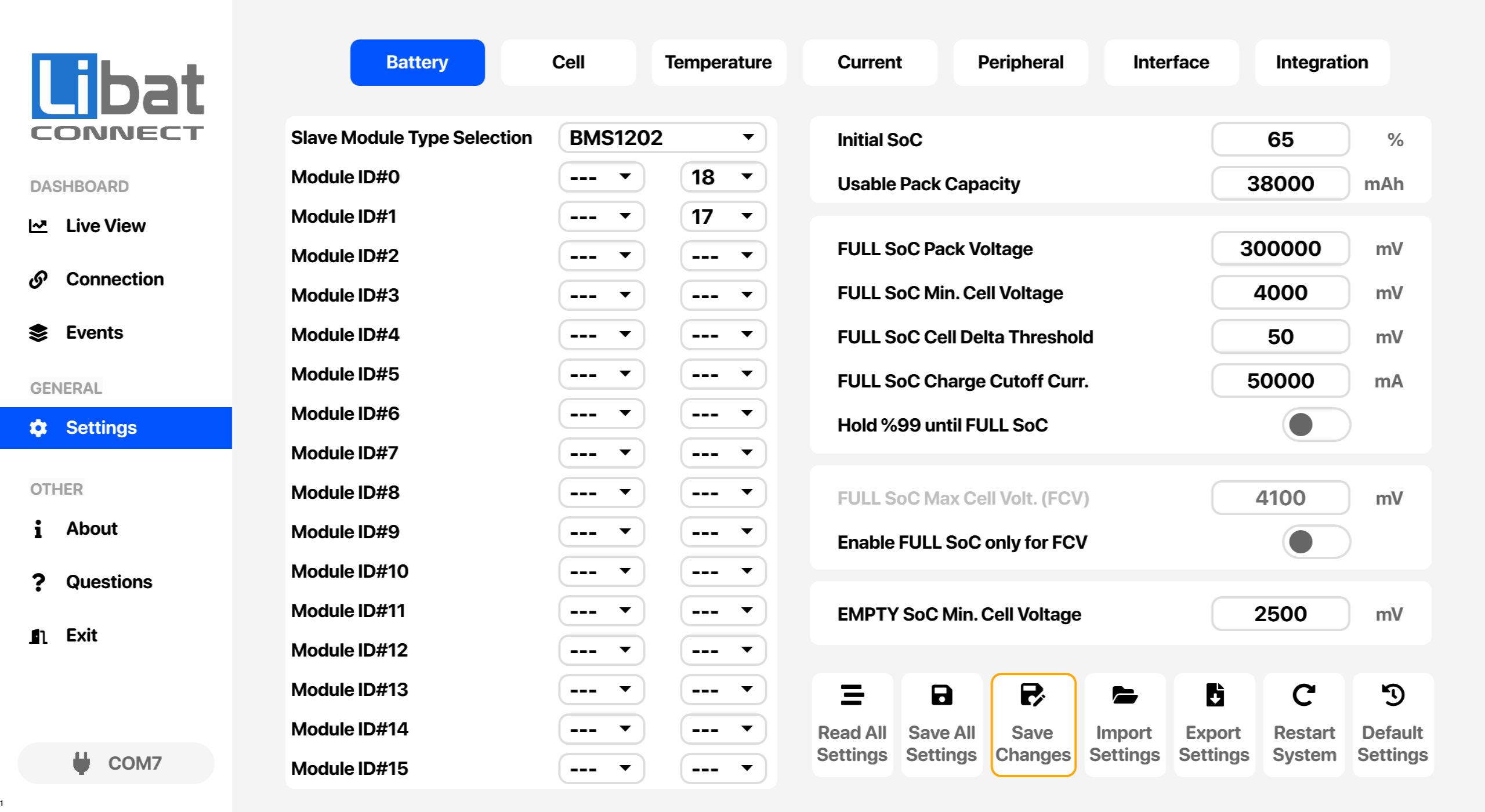
| T1 |
Selection tab for Battery settings. |
|
| M4 |
Selection tab for Settings. |
|
| S1 |
Type of the slave modules on the isolated daisy chain. |
Select the model of the connected slave modules.
Options: ---, BMS1202, BMS1802 |
| S2 |
Parallel group number selection. Select same group number for arranging parallel batteries |
Options PG1-PG6. Up to 6 packs can be arrange in parallel. Leave it disabled for normal operation.
Options: ---, PG1, PG2, PG3, PG4, PG5, PG6 |
| S3 |
Module cell count settings starting from ID#0 to ID#15. Select correct number of cell for every module ID. |
Select cell between 4-18 cells
Options: ---, 4–18 |
| S4 |
Initial SOC of Battery Pack. |
Set for initial percentage of battery at a moment. Setting another value than before will update SOC value. |
| S5 |
Battery usable capacity in mAh unit. 40Ah = 40000mAh |
Set capacity to the correct value before setting initial SOC. |
| S6 |
Full SOC pack voltage for recalibration to %100 |
Minimum pack voltage for FULL SoC. SoC is set to 100% when all FULL SoC conditions hold together for 60 seconds. |
| S7 |
Minimum cell voltage for recalibration SOC to %100 |
Set minimum cell voltage for triggering to set SOC to full. All cells must be equal or higher than this voltage. |
| S8 |
Maximum cell delta voltage threshold between any cell. |
Set maximum cell voltage delta for triggering to set SOC to full. |
| S9 |
Cutoff current before recalibration SOC to %100. |
After meeting other conditions, charge current must be as low as that value. |
| S10 |
Hold SoC at 99% until FULL SoC. |
When enabled, SoC stays at 99% until all FULL SoC conditions are met, so 100% always means a full pack. |
| S11 |
FULL SoC maximum cell voltage (FCV). |
Used when FULL SoC only for FCV is enabled: SoC is set to 100% when the highest cell reaches this voltage. |
| S12 |
Enable FULL SoC only for FCV. |
When enabled, the FCV condition alone sets FULL SoC and the other FULL SoC conditions are ignored. |
| S13 |
Minimum cell voltage for recalibrating SoC to 0%. |
SoC is set to 0% when the lowest cell stays below this voltage for 60 seconds. Skipped while a cell connection error is active. |