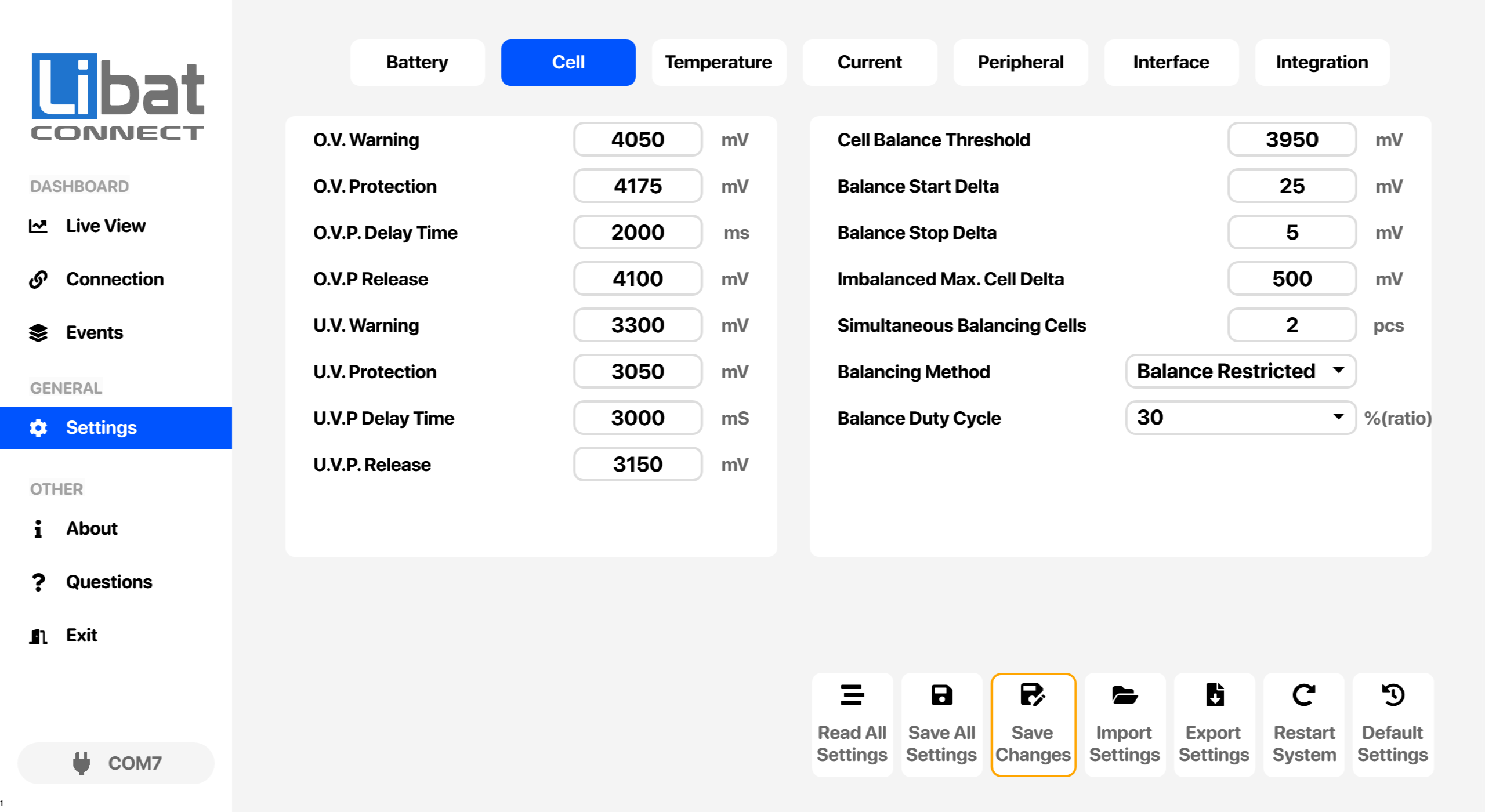
| T2 |
Selection tab for Cell settings. |
|
| M4 |
Selection tab for Settings. |
|
| S14 |
Over Cell Alarm Voltage |
Triggers a warning event before reaching cell over voltage protection point. |
| S15 |
Over Cell Protection Voltage |
Protection limit for any cell's voltage. |
| S16 |
Over Voltage Protection Delay Time |
Delay time before cell protection event. |
| S17 |
Over Voltage Protection Release Voltage |
Release voltage value when cell over voltage event has been triggered |
| S18 |
Under Cell Alarm Voltage |
Triggers a warning event before reaching under cell voltage protection point. |
| S19 |
Under Cell Protection Voltage |
Protection limit for any cell's voltage. |
| S20 |
Under Cell Protection Delay Time |
Delay time before cell protection event. |
| S21 |
Under Cell Protection Release Voltage |
Release voltage value when cell under voltage event has been triggered |
| S22 |
Minimum cell voltage threshold to start balance progress |
Any balancing cell value must be higher than this threshold to apply balancing current |
| S23 |
Cell balance start delta voltage |
Any balancing cell value must be higher than this threshold to apply balancing current |
| S24 |
Cell Balance Stop Delta Voltage |
Balancing current has apply to cell until reaching desired cell delta voltage after starting balance progress. |
| S25 |
Imbalanced maximum cell delta voltage |
This value is critical value of delta between any cells in the system. Any value higher than this threshold will trigger full protection event. |
| S26 |
Maximum Simultaneously Balancing Cell Count |
Number of cells to apply simultaneously balancing current. Higher value may require extra cooling elements. |
| S27 |
Cell Balancing Method:
Balance Restricted: Balance Operation Disabled
While Charging: Balance Operation Only While Charging
While Discharging: Balance Operation Only While Discharging
When Not Idle: Balance Operation Only While No Charging or Discharging
Always: Balance Operation Always ON |
While charging option may selected for best balancing progress.
Options: Balance Restricted, While Charging, While Discharging, When Not Idle, Always |
| S28 |
Balance Power Duty Cycle Selection Between 10% - %100 |
Applying full balancing current is not a good option for sustainable system response. Select a mean value for optimum balancing current.
Options: 10, 20, 30, 40, 50, 60, 70, 80, 90, 100 |