4. Limon™ BMS Software Live View
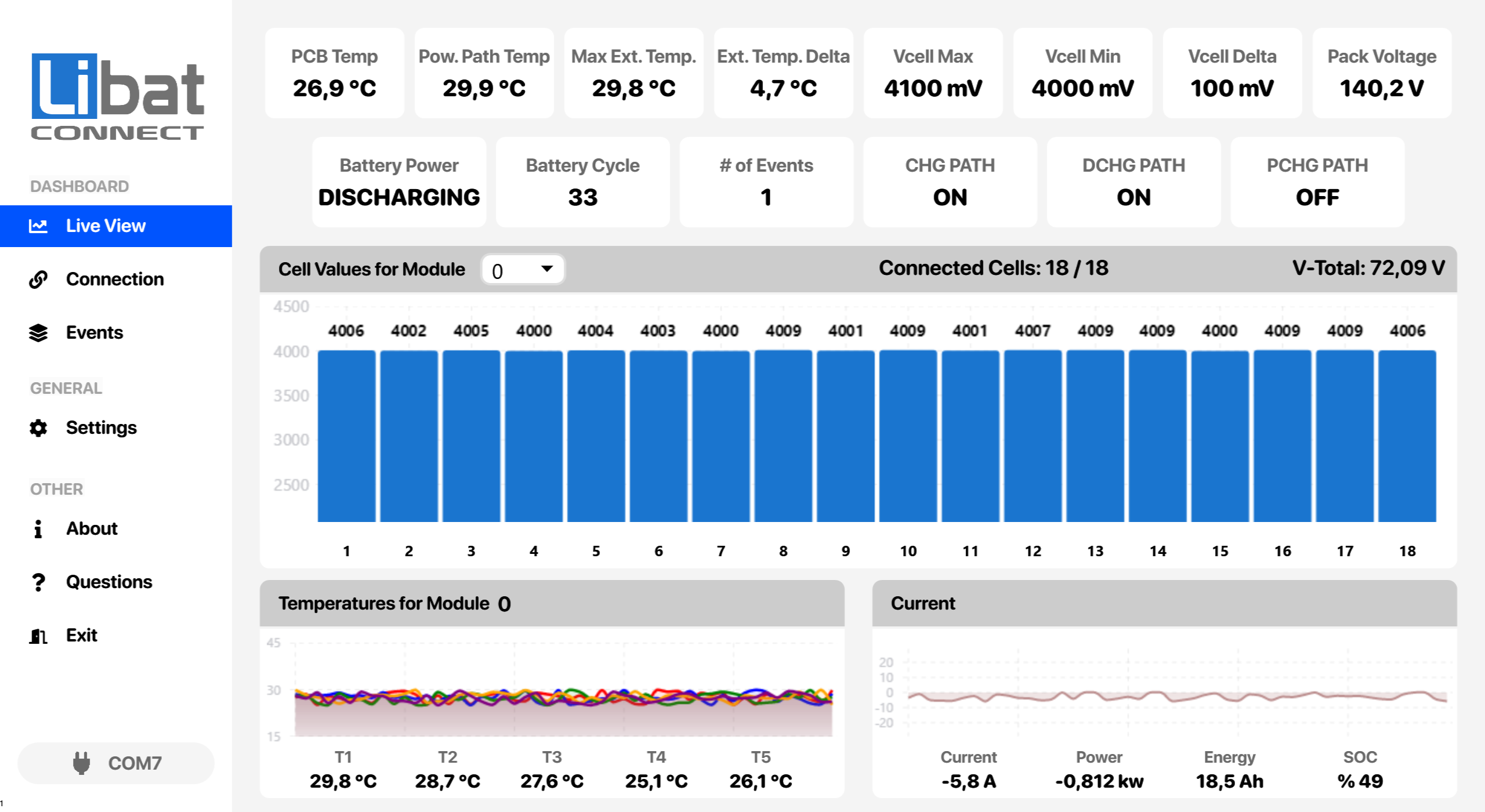
All the data about battery pack can be seen on this screen. All live incoming data may monitor cell-by-cell, module-by-module. Every field has its own deticated functionality. Each field description can be seen below.
Fig.4.1: Live View Screen
| No. |
Description |
| M1 |
Selection tab for Live View. |
| G1 |
Main module's PCB temperature. |
| G2 |
Main module's power path (FET) temperature. Reads zero if the board has no FET sensor. |
| G3 |
Highest external temperature in the battery pack. |
| G4 |
Difference between the highest and lowest external temperatures. |
| G5 |
Maximum cell voltage of the whole battery pack. |
| G6 |
Minimum cell voltage of the whole battery pack. |
| G7 |
Maximum cell voltage delta (Vcell Max - Vcell Min). |
| G8 |
Total voltage of the whole battery pack. |
| G9 |
Battery power state: CHARGING, DISCHARGING or IDLE. |
| G10 |
Battery cycle count. |
| G11 |
Total number of events. |
| G12 |
Charge path state: ON or OFF. |
| G13 |
Discharge path state: ON or OFF. |
| G14 |
Precharge path state: ON or OFF. |
| G15 |
Cell voltages (mV) of the selected module as a bar chart. |
| G16 |
Module selection for the cell and temperature views. |
| G17 |
Detected and configured cell count of the selected module. |
| G18 |
Total voltage of the selected module. |
| G19 |
Cell numbers of the selected module. |
| G20 |
Module shown in the temperature chart. |
| G21 |
Live temperature chart of the selected module. |
| G22 |
External temperature sensors T1-T5 of the selected module. |
| G23 |
Live current chart. |
| G24 |
Pack current. Negative while discharging, positive while charging. |
| G25 |
Pack power. Negative while discharging, positive while charging. |
| G26 |
Net energy of the battery pack. |
| G27 |
State of charge (SOC) of the battery pack. |
| G28 |
Authorization status. |
| G29 |
Connected port. |